More to Set Up and Configure
- Separate laptop
- Printer drivers and operating system updates
- Printer driver configuration
- Additional network and sharing configuration

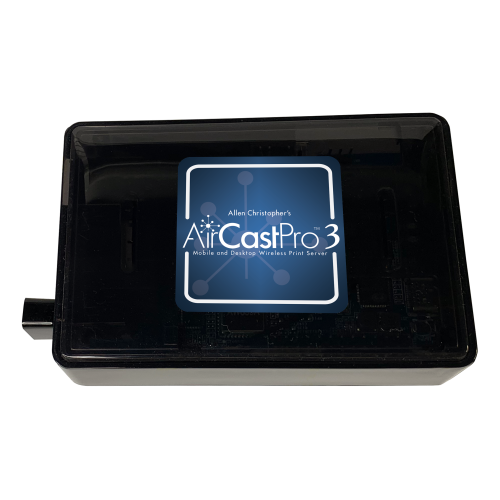
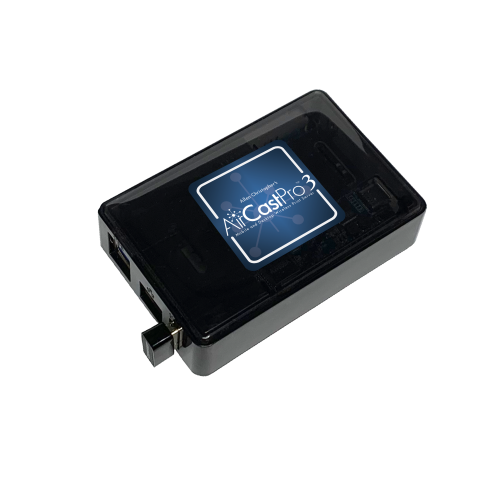
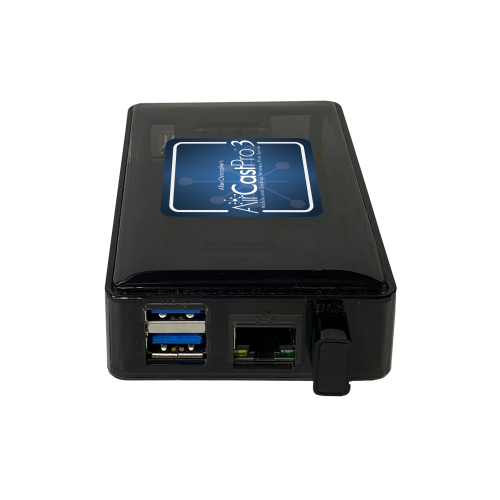
Connect your photo booth directly to a professional printer with a compact print server made for real event workflows. AirCastPro 3 gives you wireless flexibility, wired reliability and simple setup, without adding a laptop.
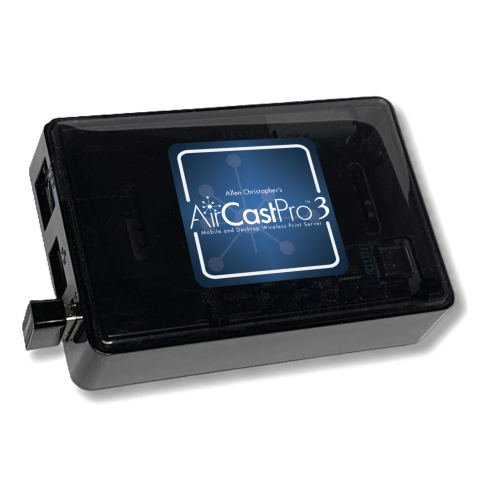
Photo booth printing should not require a complicated network, a separate laptop or constant troubleshooting. AirCastPro 3 creates a direct connection between photo booth apps and professional printers, giving you a streamlined workflow that is easy to set up and easy to repeat at every event.
AirCastPro 3 makes connecting your supported photo booth app to a professional photo printer simple and repeatable.
Attach a supported dye-sublimation or printer to AirCastPro 3 using USB.
Join the AirCastPro Wi-Fi network or use Ethernet for a fully wired booth setup.
Choose the AirCastPro printer inside your photo booth app and begin printing.
Use AirCastPro 3 for photo booths, mobile events, activations, attractions and permanent installations.
Make iPad photo booth printing simple, with no laptop or complicated setup required.
Support attractions, venues and multi-location operations with remote system visibility.
Create flexible on-site printing systems for galleries, guest uploads and fast delivery.
Build a workflow that works for your events today and grows with your business.
Choose dual-band Wi-Fi or Gigabit Ethernet to match the venue and setup.
Create supported panoramic sizes with compatible printers and media.
30% faster processing with zero distortion output.
Add subtle logos into the print finish layer. Requires support by printer.
Seamless integration across iOS photo booth apps.
Automatically print images placed into a monitored folder.
Transfer supported image files through FTP for rapid camera-to-printer workflows.
Allow guests to upload photos from their phones for on-site printing.
Distribute jobs across supported printers to increase production capacity.
Print compatible files directly from supported USB storage.
Apply configured borders or overlays to incoming images automatically.
Show event images using HDMI or a supported browser-based slideshow.
Retain event images for later retrieval, review and download.
Request API access for supported custom application integrations.
Choose the connection method that best fits your booth, venue and risk tolerance.
View connected units, supported printer information, media status and configuration options from almost anywhere.
Uptime is particularly valuable for unattended installations, multi-unit operators and teams working across several locations.
Explore AirCastPro UptimeReview the current supported models below.
CX-02, CY-02, CZ-01, OP-900II
DS620, DS820, RX1HS, QW410, DS40, DS80
ASK-300, ASK-500
P520L, P525L, P630
U826 multimedia photo printer
CP-D80DW, CP-D90DW
Impressa IP60
CS2, S3, S1245
KSF-10R multimedia photo printer
AirCastPro supports AirPrint and IPP printing, making it compatible with virtually all iOS photo booth apps and many supported event-printing applications. If your app includes a compatible printing function, it can typically print through AirCastPro. Contact us before ordering if you would like to confirm your specific app and workflow.
AirCastPro is designed specifically to simplify photo booth printing. Connect your professional photo printer, join the AirCastPro network from your booth device, select the printer in your supported app and begin printing. There are no printer drivers to install, complicated sharing settings to configure or separate laptop to maintain.
No. AirCastPro creates its own dedicated local wireless network, allowing supported photo booth workflows to print without venue Wi-Fi or an internet connection.
Yes. AirCastPro can connect to supported external Wi-Fi, a mobile hotspot or an Ethernet network, allowing your booth to print while compatible apps continue using the internet for texting, emailing and sharing photos.
It generally takes approximately 3 to 7 seconds for AirCastPro to process the image and begin sending it to the printer. Actual timing can vary based on the image, app, network connection, printer and selected print size. The printer’s normal printing time begins after it receives the file.
Yes. AirCastPro 3 includes Gigabit Ethernet for wired networking. A supported USB-C iPad can also connect using a compatible USB-C to Ethernet adapter, allowing you to operate your photo booth without relying on Wi-Fi. View AirCastPro setup guides.
Yes. AirCastPro can print standard photos and photo booth strips with supported printers, media and applications. Available print sizes and cutting options depend on the connected printer and the capabilities of your photo booth app.
Yes. AirCastPro supports multiple-printer workflows, including printer pooling with supported printer models and configurations. Printer pooling can distribute jobs between compatible printers to increase capacity and provide a more efficient workflow for busy booths and high-volume events.
Our support team is available Monday through Friday, 9:00 AM to 5:00 PM Eastern Time. Call (904) 398-9934 or email support@aircastpro.com for assistance with setup, compatibility and troubleshooting.
Purpose-built to make photo booth printing easier from setup to the final print.
Compatibility, available print sizes and features may vary by printer, application, operating system, media and AirCastPro software version.